Top Wix Funding Apps to Supercharge Your Nonprofit Initiatives

Running a nonprofit on Wix? The right funding apps can transform your fundraising. Explore three powerful tools—Givebutter for all-in-one campaigns, Donorbox for recurring donations, and Targeted Fundraising for goal-based drives. Learn which app fits your mission and how to maximize donor engagement with the perfect Wix integration.

When you run a nonprofit or community project on Wix, finding the right funding tools can make all the difference. While Wix Seller Financing offers some options, you might want to explore specialized Wix funding apps that bring unique features tailored to your fundraising needs. These apps help you raise money, engage donors, and manage campaigns with ease. Let’s uncover three top-rated third-party apps in the Wix App Market that consistently deliver results and can transform your passion project into a funded reality.
Givebutter: The All-in-One Nonprofit Solution
Givebutter stands out as the best overall app for nonprofits on Wix. It combines multiple fundraising tools into one platform, making it a versatile choice for different types of campaigns. Whether you want to run peer-to-peer fundraising, sell event tickets, or accept donations, Givebutter covers it all.
Why Choose Givebutter?
Peer-to-peer fundraising: Empower your supporters to create their own fundraising pages and reach their networks.
Event ticketing: Sell tickets for fundraising events directly through your Wix site.
Donation options: Accept one-time and recurring donations with customizable forms.
User-friendly interface: Both you and your donors will find it easy to navigate.
Real-time tracking: Monitor your campaign progress with clear dashboards.
Many nonprofits have seen a boost in donations by using Givebutter’s peer-to-peer features. For example, a local animal shelter increased their fundraising by 40% during their annual campaign by letting volunteers create personalized pages.
If you want a single app that handles multiple fundraising needs without switching platforms, Givebutter is a strong choice.
Accept Wix donations
Learn how to add a donation page on your Wix site with Givebutter’s free donation forms and floating donate buttons—no complicated coding required.

Donorbox: The King of Recurring Donations
If your goal is to build a steady stream of ongoing support, Donorbox is the app to consider. It’s known as the gold standard for high-conversion recurring donation forms. Recurring donations provide nonprofits with predictable income, which helps with budgeting and planning.
What Makes Donorbox Special?
Easy setup: Quickly embed donation forms on your Wix site.
Recurring donations: Encourage donors to give monthly, quarterly, or annually.
Multiple payment options: Accept credit cards, PayPal, Apple Pay, and more.
Customizable forms: Match your branding and messaging.
Donor management: Track donor history and send automated receipts.
For example, a community arts group used Donorbox to increase their monthly donor base by 25% within six months. The app’s simple forms and clear calls to action helped donors commit to ongoing support.
Donorbox integrates smoothly with Wix, so you can focus on building relationships with your donors instead of worrying about technical setup.

Targeted Fundraising: Give With Purpose
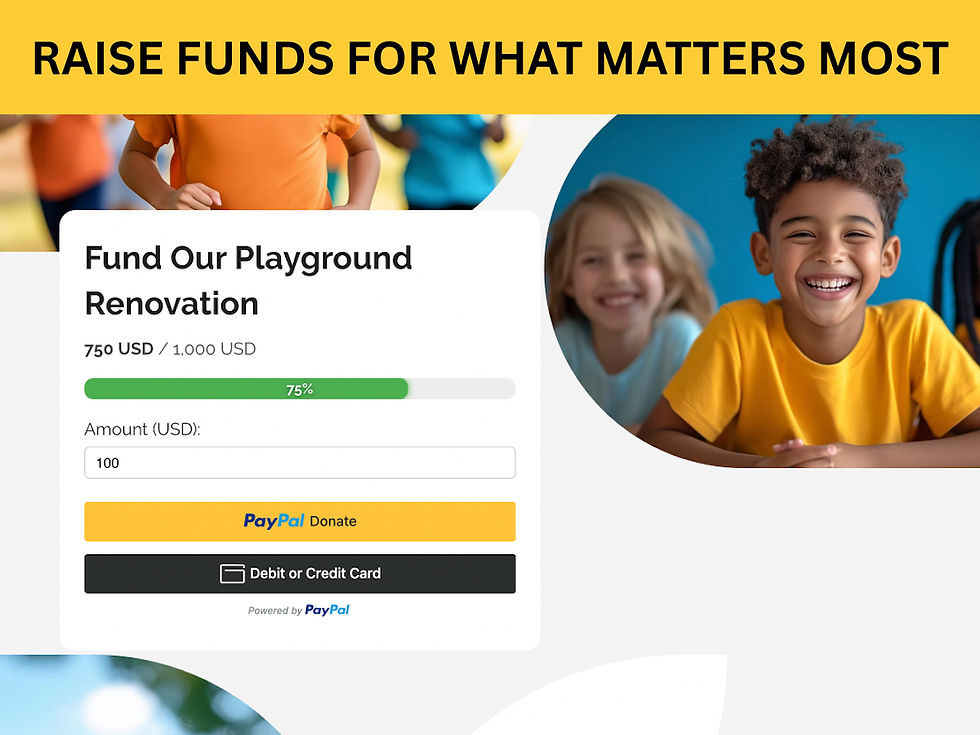
Empower your community to give with purpose. The Targeted Fundraising Widget helps you raise money for specific campaigns—whether it's a new roof for your church, new equipment for your team, or any clearly defined need. Set a fundraising goal, show real-time progress with a dynamic progress bar, and let donors see the direct impact of their contributions.
Key Features of WhyDonate
Goal-based fundraising with real-time progress bar
Secure payments with PayPal & credit cards
Choose to stop or keep accepting donations once your target is met
Easy customization & embedding
Goal-Based Fundraising
Set a specific target amount for your campaign and let your audience see exactly what you're working toward.
Real-Time Progress Bar
Display a live, visually engaging progress bar that updates as donations come in—motivating contributors and building momentum.
Goal Reached Controls
Stop accepting donations once your goal is hit—or continue collecting if your community wants to give more.
Easy Customization & Embedding
Quickly customize colors, text, and layout to match your site's look, then embed it seamlessly on any page.
Unlike general donation tools, this widget keeps the focus on a tangible target. Once the goal is met, you can choose to close the campaign or keep it going.
How to Choose the Right Wix Funding App for Your Needs
Each of these apps offers unique strengths. Here’s a quick guide to help you decide:
Choose Givebutter if you want an all-in-one platform for events, peer-to-peer campaigns, and donations.
Choose Donorbox if your focus is on building recurring donations and donor management.
Choose Targeted Fundraising if you need strong international payment support and global reach.
You can also combine these apps with Wix Seller Financing options to create a comprehensive funding strategy. The key is to match the app’s features with your nonprofit’s goals and audience.
Tips for Maximizing Your Fundraising Success on Wix
Create clear calls to action on your Wix site to guide visitors to donate.
Use engaging storytelling to connect donors with your mission.
Leverage email campaigns to keep supporters informed and involved.
Track your progress regularly using app dashboards and adjust your strategy.
Test different donation amounts and options to see what works best.
By integrating the right Wix funding apps, you can build a strong foundation for your nonprofit’s financial health and growth.


Comments