AI Customer Follow-Up for Small Business: Turn Missed Messages Into Revenue Before They Rot

Every unanswered inquiry is a slow leak in your revenue.
This guide shows small business owners how to use AI customer follow-up to recover missed messages, warm up cold leads, revive forgotten quotes, and make sure promising conversations do not quietly disappear into an inbox, voicemail box, spreadsheet, or CRM graveyard.

The goal is not to blast customers with more messages. It is not to build a tiny robot salesperson with boundary issues. It is to make sure that when somebody raises their hand, asks for a quote, misses an appointment, calls while you are busy, or says, “I’ll think about it,” your business actually remembers what should happen next.
Most follow-up problems are not really copywriting problems. They are operating-system problems.
The message arrives while you are serving a customer, driving to a job, handling payroll, fixing an employee problem, or trying to remember why somebody named Chris asked for a quote three Tuesdays ago.
AI can fix the memory, context, and timing problem. It should not replace judgment.
What Is AI Customer Follow-Up for Small Business?
AI customer follow-up for small business is a workflow that detects when a customer or prospect needs a response, retrieves the relevant context, drafts or triggers the next appropriate message, records the activity, and escalates exceptions to a human. The goal is not more messages. The goal is fewer valuable conversations dying from neglect.
Trigger: Something happens—a missed call, form fill, estimate, no-show, unanswered email, completed job, or stale lead.
Context: The system retrieves the customer name, service requested, prior messages, quote status, appointment details, and last activity.
Draft: AI uses approved information and an appropriate script to prepare the next message.
Channel: The workflow determines whether the next action belongs in SMS, email, a call task, or a manual response.
Send or queue: Low-risk messages can follow your approved automation rules. Higher-risk conversations wait for human review.
Record: The CRM or lead tracker logs what happened, who owns the next step, and when it is due.
Stop or escalate: The sequence ends when the customer replies, books, declines, opts out, or reaches a condition that requires a person.
A useful follow-up system does not ask, “How many messages can AI send?” It asks, “What conversation should happen next, what context does it require, and when should a human take over?”

Where Small Businesses Actually Lose Leads
The expensive leaks are usually boring. They happen between the customer raising a hand and someone on your team remembering what to do next.
1. Missed calls that never become conversations
A customer calls while everyone is busy. The voicemail sits there. By the time someone calls back, the customer has already contacted two competitors.
A useful AI workflow can create an immediate task, attach the caller information, draft a short acknowledgment, and route the opportunity for human follow-up. The workflow does not need to conduct the entire sales conversation. It just needs to prevent the missed call from becoming forgotten revenue.
2. Web inquiries that land in the wrong inbox
Forms and website chats are only valuable if somebody sees them. AI can classify the request, attach context, assign an owner, create a follow-up deadline, and make sure the inquiry does not become a digital fossil.
A simple information request.
A quote request.
An existing customer issue.
A booking request.
Something unusual enough to require immediate human review.
That is much more useful than sending the same generic autoresponder to everybody.
3. Estimates and quotes that go quiet
A sent estimate is not the end of the sales process. It is the beginning of a decision. Some customers have questions they never ask. Some forget. Some are comparing alternatives. Some are waiting for the right time.
AI can watch for quotes with no response, prepare a useful follow-up, and stop the sequence when the customer replies or declines. The purpose is not pressure. The purpose is reducing decision friction.
4. No-shows and stalled appointments
A no-show can mean bad timing, a forgotten calendar event, uncertainty, or a lost sale. The first follow-up should make rescheduling easy instead of acting offended that the customer has a life.
Send or draft a neutral rescheduling message.
Provide the right booking path.
Update the CRM.
Flag repeated no-shows.
Stop after a defined cadence.
5. Old leads that were never really dead
Some leads were not ready when they first contacted you. Others got distracted. Some solved the problem another way.
A dormant-lead workflow can identify records worth revisiting, retrieve what the prospect originally wanted, generate a context-aware re-entry message, and leave obviously poor-fit or opted-out contacts alone. The best reactivation messages acknowledge the gap. They do not pretend the conversation happened yesterday.
A simple question: where does revenue leak in your business?
Look at the last 30–60 days and ask:
How many calls went unanswered?
How many website inquiries waited too long?
How many estimates are still sitting in “sent”?
How many prospects missed appointments?
How many old leads have never received a thoughtful second look?
You do not need to automate everything. You need to identify one repeatable leak worth fixing first.
⭐ Practical Resource ⭐
The Follow-Up Script Pack gives you ready-to-edit scripts for missed inquiries, missed calls, stale estimates, no-shows, dormant leads, review requests, referrals, and human handoffs. The pack is designed around the same principle as this article: automate memory, use AI for context, and keep humans in control when judgment or consequence enters the conversation.
What Should AI Automate—and What Should Stay Human?
The clean rule is simple: automate repetition and memory. Keep judgment, sensitivity, and consequence under human control.
Good candidates for automation
Creating a CRM record from a form, call, or inbox message.
Assigning a lead to the right person.
Drafting a first acknowledgment.
Creating reminders when no reply arrives.
Summarizing the conversation before a human responds.
Flagging stale estimates, missed appointments, and dormant prospects.
Logging follow-up activity and next steps.
Detecting obvious stop conditions.
Updating lead stages and task ownership.
Preparing a handoff when the conversation becomes more complex.
These are mostly memory, movement, classification, and drafting tasks. They are repeatable. They can be defined. And they usually do not require the system to make a consequential judgment on its own.
Keep a human in the loop for
Complaints, refunds, charge disputes, or angry customers.
Pricing negotiations or unusual discounts.
Sensitive personal, financial, medical, legal, or employment-related conversations.
Strong buying signals where a salesperson can create more value than another automated touch.
Unusual requests or exceptions.
Ambiguous customer intent.
Situations where the available data is stale or incomplete.
Anything where the wrong response could materially damage trust.
A customer should not discover that your automation is confused before your team does.
A practical decision rule
Is the trigger objective and repeatable? Automate the trigger.
Does the message require variable customer context? Let AI draft from approved facts.
Could the wrong message materially damage trust or affect the customer? Require human review.
Can the system explain why it sent the message? If not, reduce autonomy.
Triggers, reminders, task creation, CRM updates, timing, and obvious stop conditions are natural automation candidates. Complaints, negotiation, exceptions, sensitive issues, and strong buying signals belong with people.

7 AI Follow-Up Workflows a Small Business Can Build
You do not need one giant “AI customer service agent.” Start with a few narrow workflows tied to specific revenue leaks.
Workflow 1: New inquiry acknowledgment
Trigger: a new web form, chat, DM, or inbound email. The system creates or updates the customer record, identifies what the person asked about, assigns an owner, drafts a short response, and creates the next follow-up task.
Keep the first message simple.
Hi {{first_name}} — thanks for reaching out about {{service_or_request}}. I saw your message and wanted to make sure it didn’t get buried. What would be most helpful as the next step: a quick answer here, a call, or a time to connect?
If the inquiry arrives after hours, the system can acknowledge receipt without pretending somebody is actively working the lead at midnight.
Workflow 2: Missed-call recovery
Trigger: an unanswered inbound call. The system creates a callback task and—where appropriate under your communication rules—prepares a text or email such as:
Saw that we missed you. What were you hoping to get help with?
That is enough. The goal is to reopen the conversation, not interrogate the caller. A good missed-call workflow also knows when to stop: if the person calls back, replies, books, declines, or opts out, the automation should get out of the way.
Workflow 3: Stale estimate or quote follow-up
Trigger: a quote remains open with no reply.
Before drafting anything, the system should check:
what was quoted,
when it was sent,
who sent it,
whether the customer replied elsewhere,
and what the last conversation actually said.
Better:
Any questions on the estimate for the kitchen repair?
Even better:
Hi {{first_name}} — before I close out the estimate, was there anything unclear about scope, timing, or next steps that would help you make a decision?
Worse:
JUST CHECKING IN!!!
...with three fire emojis and a 10% discount nobody requested.
Follow-up should reduce friction, not manufacture desperation.
Workflow 4: No-show recovery
Trigger: a scheduled appointment is marked missed.
A useful first message is neutral:
Hi {{first_name}} — looks like we missed each other for {{appointment_or_call}}. No problem. Want to reschedule? Here’s the easiest next step: {{booking_link_or_reply_instruction}}.
The workflow can provide the rescheduling path, create a new task, flag repeated no-shows, and stop after a reasonable cadence. A missed appointment should not create an endless campaign.
Workflow 5: Dormant lead reactivation
Trigger: a lead has been inactive for a defined period.
AI reviews the original request and drafts a context-aware re-entry message.
For example:
Hi {{first_name}} — it’s been a while since we talked about {{original_request}}. I’m not assuming you’re still working on it, but I wanted to check before I close the loop. Is this still on your radar?
Or, when you have useful context:
When we last spoke, you were looking at {{specific_goal_or_problem}}. Did that get handled, or is it still something you want help with?
Do not pretend the old conversation is current.
Do not use fake urgency to manufacture a reply.
Workflow 6: Post-service review and referral request
Trigger: a job or engagement closes successfully.
The key word is successfully.
If there is an unresolved complaint, the system should route the issue to support—not cheerfully ask an unhappy customer for five stars.
A review request might say:
Hi {{first_name}} — thanks again for trusting us with {{service_or_project}}. If the experience was useful, would you be willing to leave a quick review? Here’s the link: {{review_link}}.
The same workflow can later support a referral request when the relationship and timing make sense.
Workflow 7: Human escalation
Trigger: the message contains a complaint, pricing objection, sensitive issue, buying signal, unusual request, or another condition your team has defined.
The system should:
Summarize the conversation.
Surface the relevant history.
Identify the issue.
Create the task.
Assign the owner.
Pause the automated sequence.
A handoff message might say:
Thanks for the details, {{first_name}}. This is better handled directly by {{person_or_role}} rather than through an automated follow-up. I’m passing the context over now so you don’t have to repeat yourself.
This may be the most important workflow of the seven.
It is the workflow that keeps the other six from becoming reckless.

The Small-Business Follow-Up Operating Model
The workflows above become much easier to design when you use one repeatable model:
Stage | What the system does | Human checkpoint |
|---|---|---|
1. Trigger | Detects the missed call, form, quote, no-show, stale lead, or completed service. | Confirm the trigger is valid. |
2. Context | Pulls customer, service, quote, appointment, last message, and status. | Correct missing or stale information. |
3. Draft | Uses an approved script and inserts real variables. | Review when nuance matters. |
4. Channel | Chooses SMS, email, call task, or manual reply. | Respect communication preferences and stop requests. |
5. Send / Queue | Sends only where the scenario and rules permit it. | Take over sensitive or high-intent conversations. |
6. Record | Logs the touch, owner, next action, and due date. | Resolve exceptions. |
7. Stop / Escalate | Stops on reply, decline, opt-out, booking, or escalation condition. | Own the consequence. |
This is the difference between a real workflow and “we connected ChatGPT to Zapier and hoped for the best.” The message is only one piece. The operating system around the message is what keeps follow-up reliable.
A Practical AI Follow-Up Sequence
You do not need a 17-touch sequence. You need a clear reason for every contact and a stop condition.
First touch: Acknowledge the inquiry while it is fresh and make the next step obvious.
Second touch: Add useful context—a missing answer, rescheduling path, quote clarification, relevant resource, or one good question.
Third touch: Reduce friction. Give the customer a simple yes/no choice, booking link, callback option, or direct reply path.
Close-the-loop touch: Politely end the active sequence instead of following up forever.
Every touch should have a job. If the only reason for the next message is, “the automation says day seven,” you probably do not have a strategy. You have a timer.
For new inbound interest, speed matters operationally because the person is actively looking for help. The exact response target depends on your business, staffing, channel, hours, and customer expectations. But your system should make it difficult for a fresh inquiry to sit unnoticed for hours—or days—because nobody owned the next action.
Download the Follow-Up Script Pack
If you want to implement these workflows, start with the message layer before buying another tool.
The Follow-Up Script Pack includes ready-to-edit scripts for:
Missed inquiries.
Missed calls.
Stale estimates and quotes.
No-shows and rescheduling.
Dormant lead reactivation.
Review requests.
Referral asks.
Close-the-loop messages.
Sensitive human handoffs.
Automation stop conditions.
Workflow-planning worksheets.
It also includes a practical cadence builder and a 30-minute implementation sprint for turning one script into a functioning follow-up loop. Prove the message manually first, then automate the surrounding trigger, CRM update, stop condition, and escalation logic.
Recover missed messages, stalled leads, and forgotten quotes with ready-to-edit follow-up scripts.
How Do You Automate Follow-Up Without Sounding Robotic?
The fastest way to sound like a bot is to remove the facts that made the conversation human in the first place. AI does not sound human because it writes longer sentences. It sounds useful when it knows what actually happened.
Use real context
Reference the service requested, estimate, appointment, original question, last conversation, relevant date, and current next step.
“Following up on your request” is weaker than: “Following up on the estimate for the patio repair we sent Tuesday.”
Ask for one next action
Do not ask the customer to reply, call, book, upload, review, confirm, and read three links in the same message. Choose the next action.
Keep messages short enough to read on a phone
A follow-up message is not the place to explain your entire company. Make it easy to understand and easy to answer.
Do not fake familiarity
Avoid language implying the system knows something it does not know. If the CRM does not contain the project details, do not invent them. If the system cannot verify a prior conversation, do not pretend it remembers one.
Avoid fake urgency, fake scarcity, and random discounts
Not every silent lead needs a coupon. Sometimes the person simply needs a useful answer.
Stop when the conversation becomes real
Once the customer replies, asks a nuanced question, objects to pricing, expresses frustration, or signals strong buying intent, the value of automation decreases. That is when a person can often create more value.
AI is useful because it can remember context at scale. If you strip the context out, you are just automating generic spam faster.
What Context Should the AI Know Before It Sends Anything?
At minimum, your workflow should attempt to retrieve:
{{first_name}}
{{service_or_request}}
{{project_or_service}}
{{quote_or_estimate_date}}
{{appointment_date}}
{{last_message}}
{{lead_status}}
{{owner}}
{{booking_link}}
{{review_link}}
{{communication_preference}}
{{stop_status}}
The exact fields depend on your business. The principle does not.
Personalize the facts before you personalize the tone.
If the system does not know the service, quote, appointment, customer status, or previous interaction, it probably does not know enough to send a “personalized” message.
The seven-second rewrite test
Does this sound like we remember what the customer actually asked for?
Is the message shorter than the explanation required to defend it?
Is there one obvious next action?
Did we avoid fake urgency, fake familiarity, and random discounts?
Would a human on our team be comfortable sending this under their own name?
AI should make the message more relevant, not merely faster.
What Does the Follow-Up Tech Stack Look Like?
A practical stack is usually simpler than vendors make it sound. You need a source of the lead, a place to keep the record, an automation layer, an AI drafting or classification step, and a clear human handoff.
Phone.
Website form.
Email.
Chat.
Social DM.
Scheduling tool.
Quote request.
Service platform.
System of record
This is where the customer, status, context, owner, and next action live. Examples include a CRM, Airtable, Notion, a service-management platform, or another structured database.
Automation layer
This moves information and creates deterministic actions. Examples include native CRM workflows, Zapier, Make, n8n, and platform-native automations.
AI layer
Classify the inquiry.
Summarize the history.
Draft the response.
Extract important details.
Identify escalation conditions.
Recommend the next workflow step.
Human layer
Somebody still owns the outcome. That person may be the owner, salesperson, service manager, support rep, account manager, estimator, or another responsible team member. The system should know who that is.

Want to Map the Workflow Before You Build It?
Once you have a script that works, the next step is not necessarily buying more software. It is mapping the operating system around the script:
trigger → context → message → channel → CRM update → next task → stop condition → human escalation.
The SMB AI Workflow & Agent Builder is the interactive companion to this article and the Follow-Up Script Pack.
Audit your current follow-up process.
Identify where leads are being lost.
Decide what should be automated.
Design safer human-in-the-loop rules.
Map a practical implementation before connecting tools.
This is intentionally the second step, after the scripts. For broader SMB operations, growth, and implementation planning beyond follow-up alone, FinAI Strategist can serve as an additional planning resource rather than the main CTA.
Consent and Channel Guardrails Matter
Automation does not erase communication rules. If you use AI or workflows for SMS, email, phone, or other customer communications, consent status, opt-outs, channel preferences, and stop requests need to be treated as workflow data—not as notes somebody might notice later.
For U.S. guidance, review the FCC’s rules on revoking consent for robocalls and robotexts and the FTC’s CAN-SPAM compliance guide for commercial email.
Use approved customer communication channels.
Preserve opt-out and suppression status somewhere the automation can actually read it.
Stop the sequence when a customer asks you to stop.
Do not treat an old inquiry as unlimited permission for unrelated future messaging.
Escalate uncertainty rather than guessing at consent, identity, or customer intent.
Review current legal and compliance requirements for your jurisdiction and channel before deploying autonomous messaging.
The workflow should be designed so that a stop request changes system behavior. Otherwise you do not really have a stop condition. You have a suggestion.
Automation Stop Conditions
Condition | Why |
|---|---|
The customer replies. | A real conversation has started and context can immediately change. |
The customer books or completes the intended next step. | The purpose of the sequence has been achieved. |
The customer declines. | Continuing turns follow-up into pressure. |
The customer opts out or asks you to stop. | Customer preference overrides the campaign. |
A complaint, dispute, refund issue, or angry message appears. | Nuance and accountability require a person. |
Pricing or negotiation begins. | The wrong automated answer can create a material problem. |
The customer shows strong buying intent. | A human can often create more value than another automated message. |
The system lacks enough context. | Automation should not invent facts just to keep a sequence moving. |
A mature automation system is defined as much by when it stops as by what it sends.

How to Install One Follow-Up Workflow in 30 Minutes
Do not attempt a “customer communication transformation.” Pick one leak.
Minutes 0–5: Pick the leak
Missed calls.
Stale quotes.
No-shows.
Dormant leads.
Unanswered web inquiries.
Minutes 5–10: Pick the script
Use the Follow-Up Script Pack and edit one message until it sounds like your business.
Minutes 10–15: Define the trigger
Write the exact event that starts the workflow. Not “when a lead needs follow-up.” Something deterministic:
Quote status remains “sent” for five business days with no customer response.
Minutes 15–20: Define stop and review conditions
Reply.
Opt-out.
Booking.
Complaint.
Pricing discussion.
High-intent signal.
Unusual request.
Minutes 20–25: Connect the record
Owner.
Lead status.
Last touch.
Next action.
Due date.
Stop status.
Minutes 25–30: Run one internal test
The trigger fires.
The correct context loads.
The message is appropriate.
The CRM updates.
The sequence stops correctly.
Escalation works.
Success is not “AI sent a message.” Success is: one follow-up loop runs reliably, is visible in your system, and stops correctly. That is an operating system.
What Should You Measure?
You do not need an elaborate AI analytics dashboard to know whether the workflow is helping. Measure the boring things:
Time from inquiry to first meaningful response.
Number of stale quotes.
Missed-call recovery rate.
No-show recovery rate.
Dormant-lead reply rate.
Follow-up completion rate.
Booking or next-step rate.
Percentage of messages requiring human escalation.
Number of conversations that reached a stop condition correctly.
If those numbers improve, the system is doing something useful. If the automation sends more messages while nothing else improves, you have simply industrialized activity.


What If You Run a Loan Brokerage or Funding Agency?
The same principles apply, but the workflows become more specialized. A broker may need automation around incomplete applications, missing documents, borrower status updates, lender submission tracking, renewals, quote follow-up, referral-partner nurture, and application reactivation.
That is a different operating environment than a restaurant, contractor, consultant, or local service business.
For readers operating a funding or loan-broker business, Broker Follow-Up Machine and BrokerFlow AI are the vertical extensions. They should be treated as specialized implementations of the same follow-up principles—not as the primary tools for the general SMB reader.
The Bottom Line
AI customer follow-up works best when it protects attention.
It catches the missed call.
It remembers the stale estimate.
It notices the no-show.
It surfaces the old lead.
It drafts the obvious next message.
It updates the record.
And then it gets out of the way when a real human conversation is needed.
Do not start by asking: “How can I automate all my follow-up?”
Start with: “Where are valuable conversations currently disappearing?”
Pick one leak. Install one controlled follow-up loop. Measure it. Then add the next one.
Start with the Follow-Up Script Pack
Get the actual messages, stop conditions, cadence worksheet, handoff scripts, and implementation framework.
Then, once the message layer makes sense, use the interactive workflow companion to map the automation around it.
Scripts first → workflow second → automation third.
Not: buy software → connect everything → discover six months later that your robot has been “just checking in” with people who already said no.

FAQs About AI Customer Follow-Up
How can AI follow up with customers automatically?
AI can monitor defined triggers such as a new inquiry, missed call, stale quote, or no-show; retrieve customer context; draft or send an approved message; update the CRM; and create the next task. Strong systems also include stop conditions and human-escalation rules rather than allowing every sequence to run indefinitely.
What is the best way to follow up on a missed customer inquiry?
Acknowledge the missed inquiry quickly, reference what you know about the request, and offer one simple next step such as replying, booking, or requesting a callback. Avoid turning the first follow-up into a long sales pitch before you understand what the customer actually needs.
Can AI send follow-up texts to customers?
Technically, yes, but the workflow needs to respect the communication rules that apply to your channel and use case, including customer preferences and opt-outs. Many small businesses should begin with AI drafting plus human approval before moving selected low-risk scenarios to more autonomous sending.
How soon should a small business follow up with a lead?
Fresh inbound inquiries should generally be handled while the customer's interest is still active. The exact response target depends on your business hours, staffing, channel, and customer expectations. The important operational principle is that new inquiries should not sit unnoticed simply because nobody remembered to check the inbox.
How many follow-ups are too many?
There is no universal number. Every touch should have a purpose, the cadence should fit the customer context, and the sequence should stop when the customer replies, declines, books, opts out, or reaches a human-review condition. More follow-ups are not automatically better.
What customer follow-up should stay human?
Complaints, pricing disputes, negotiations, unusual requests, sensitive matters, ambiguous situations, and strong buying signals should usually move to a person. AI can summarize the conversation, draft the handoff, and prepare the task without owning the final judgment.
How do you automate follow-up without sounding robotic?
Use real customer context, keep the message short, ask for one next action, avoid fake urgency, and do not force every customer through the same cadence. The system should reference what actually happened—the inquiry, quote, appointment, or previous conversation—instead of generating generic “just checking in” messages.
Can AI help recover old leads and forgotten quotes?
Yes. AI can identify stale records, retrieve the original context, draft a relevant reactivation message, and create follow-up tasks. The workflow should exclude opted-out or poor-fit contacts and should acknowledge the time gap rather than pretending an old conversation is still current.
Additional Resources
Follow-Up Script Pack — ready-to-edit customer follow-up scripts and workflow worksheets.
SMB AI Workflow & Agent Builder — audit and design the automation around your scripts.
AI CRM Automation for Loan Brokers — follow-up systems, CRM triggers, and lead-stage automation.
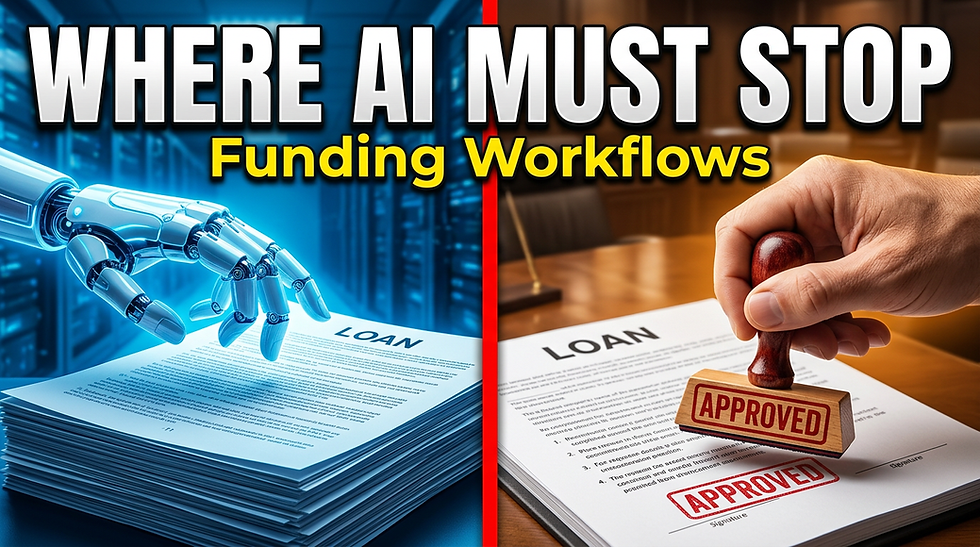
Human-in-the-Loop AI Funding Workflows — where automation should stop and human judgment should take over.
AI Lead Generation for Local Service Businesses — a local-business view of finding and routing better prospects.
AI Cash Flow Forecasting for Small Businesses — a broader SMB AI operations use case for spotting problems before they become emergencies.
AI Agents for Finance Operations — a deeper look at moving from AI alerts to controlled automated action.
This article is educational and operational in nature. Communication, privacy, consent, telemarketing, email, and text-message requirements vary by channel, jurisdiction, technology, and use case. Review current requirements and obtain appropriate professional guidance before deploying automated customer messaging.


Comments